Creative Commons – Know the Difference Between Each Licence
Creative Commons licences enable creators to share their work while retaining control over its use, specifying conditions for attribution and modifications.
These licences enhance accessibility to copyrighted content while safeguarding creators’ rights.
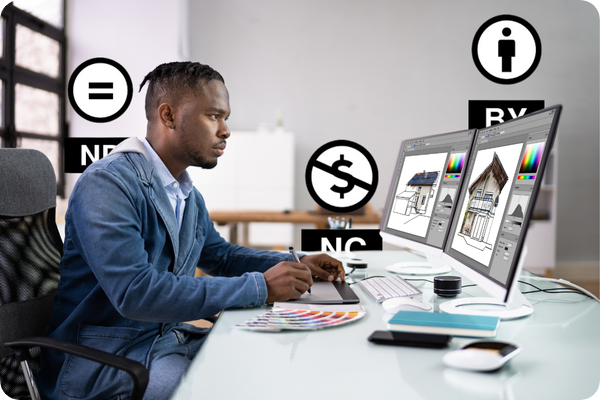
Overview of Creative Commons Licence Types
Creative Commons licences are vital tools that provide a flexible framework for sharing and using creative works. Whether you’re an artist, educator, or researcher, these licenses enable you to specify how others can use your creations, balancing openness with protection.
CC licenses make it possible for creators to allow the free use and distribution of their work without relinquishing their copyright entirely. Understanding these license types ensures legal and ethical sharing.
How to Use TikBox for Creative Commons Licensing

Creative Commons Licence templates
In the Template section, select the appropriate Creative Commons licence from the drop-down menu. TikBox will extract key information from any agreement, embedding it as metadata in your photo.

Upload your Photo or Video
After choosing your Creative Commons template licence, you will be nudged to upload your photo/video or digital content to TikBox application. Continue to follow the onscreen prompts until the entire CC licence is created.

Download and Share it online
Once you have reviewed the summary of your licence on the Review and Finish page, hit the “Done” button. Your asset with the copyright metadata and watermark will be ready for you to download and share from the Assets section of TikBox.
A Breakdown of the Six Types of Creative Commons Licences
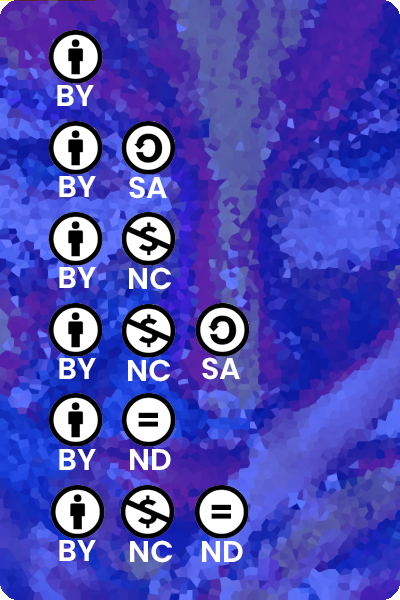
Creative Commons licences combine four elements—Attribution (BY), ShareAlike (SA), NonCommercial (NC), and NoDerivatives (ND)
- Attribution (CC BY) – Allows distribution, modification, and commercial use with credit to the creator.
- Attribution-ShareAlike (CC BY-SA) – Permits reuse and commercial modifications, requiring the same licence for new works.
- Attribution-NoDerivatives (CC BY-ND) – Allows commercial use but prohibits modifications.
- Attribution-NonCommercial (CC BY-NC) – Non-commercial adaptations allowed with credit.
- Attribution-NonCommercial-ShareAlike (CC BY-NC-SA) – Non-commercial modifications allowed with the same licence.
- Attribution-NonCommercial-NoDerivatives (CC BY-NC-ND) – Only non-commercial sharing of unaltered works is allowed.
- CC0 (Public Domain Dedication) – Waives all rights, allowing creators to place their work in the public domain.
Find the best CC Licence for your content
Choosing the Right Creative Commons Licence for Your Needs
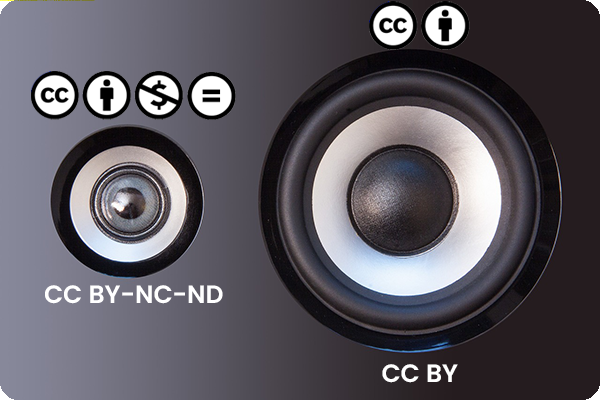
When deciding which Creative Commons licence to use, it’s essential to assess your goals for the distribution of your work. If you want broad reach, a less restrictive licence like CC BY may suit your needs best.
Alternatively, choose a restrictive licence like CC BY-NC-ND to limit commercial use or control modifications of your work. Using Creative Commons lets you freely share your work while keeping your legal copyright protections.
Navigating Creative Commons with Confidence
Understanding the differences between Creative Commons licences is the first step in protecting and sharing your work effectively. Each licence balances the creator’s wish for exposure with their need to control how others use their work.
By offering their works under CC licences, creators can enable the free distribution of their creations while still keeping ownership intact. This flexibility allows creators to reach new audiences without surrendering their copyright, fostering a culture of sharing and collaboration.
Using TikBox for Creative Commons Licencing – a Video Overview
Loved by professional and newbie creators alike. Try the Cerebriam Studio Online Audio editor.
Extend your free trial by giving us feedback.
Title
Demo
Edit your Audio
https://www.instagram.com/reel/Ctwq4cTsNwP/?hl=en

Frequently Asked Questions (FAQ)
What are the six types of Creative Commons (CC) licences?
The six types are Attribution (CC BY), Attribution-ShareAlike (CC BY-SA), Attribution-NoDerivatives (CC BY-ND), Attribution-NonCommercial (CC BY-NC), Attribution-NonCommercial-ShareAlike (CC BY-NC-SA), and Attribution-NonCommercial-NoDerivatives (CC BY-NC-ND) and CC0 (Public Domain Dedication).
What are the main differences between Creative Commons licences?
The main differences revolve around attribution, commercial use, and whether modifications to the original work are allowed. Each licence provides varying levels of flexibility for users.
How does watermarking help in copyright protection?
Watermarking, especially when added using tools like TikBox, helps protect creative works by marking them with visible or invisible identifiers, which help deter unauthorised use and ensure proper attribution.
TikBox is a tool designed to assist creators in providing all Creative Commons licences and embeds copyright metadata and watermarks into your digital assets ensuring your rights are protected making sharing easier.
Can I license watermarked assets under Creative Commons?
Yes, you can license watermarked assets under any Creative Commons licence. The watermark shows ownership while allowing permitted use.
Do I lose my copyrights if I use Creative Commons?
Creative Commons (CC) materials are not exempt from copyright protection. The creator retains their copyright but chooses to share their work with the public under specific terms. By using a CC license, creators enable the free distribution of their otherwise copyrighted work. However, with CC0 the creator waives all rights and places their work in the public domain.
[elementor-template id=”5610″]